
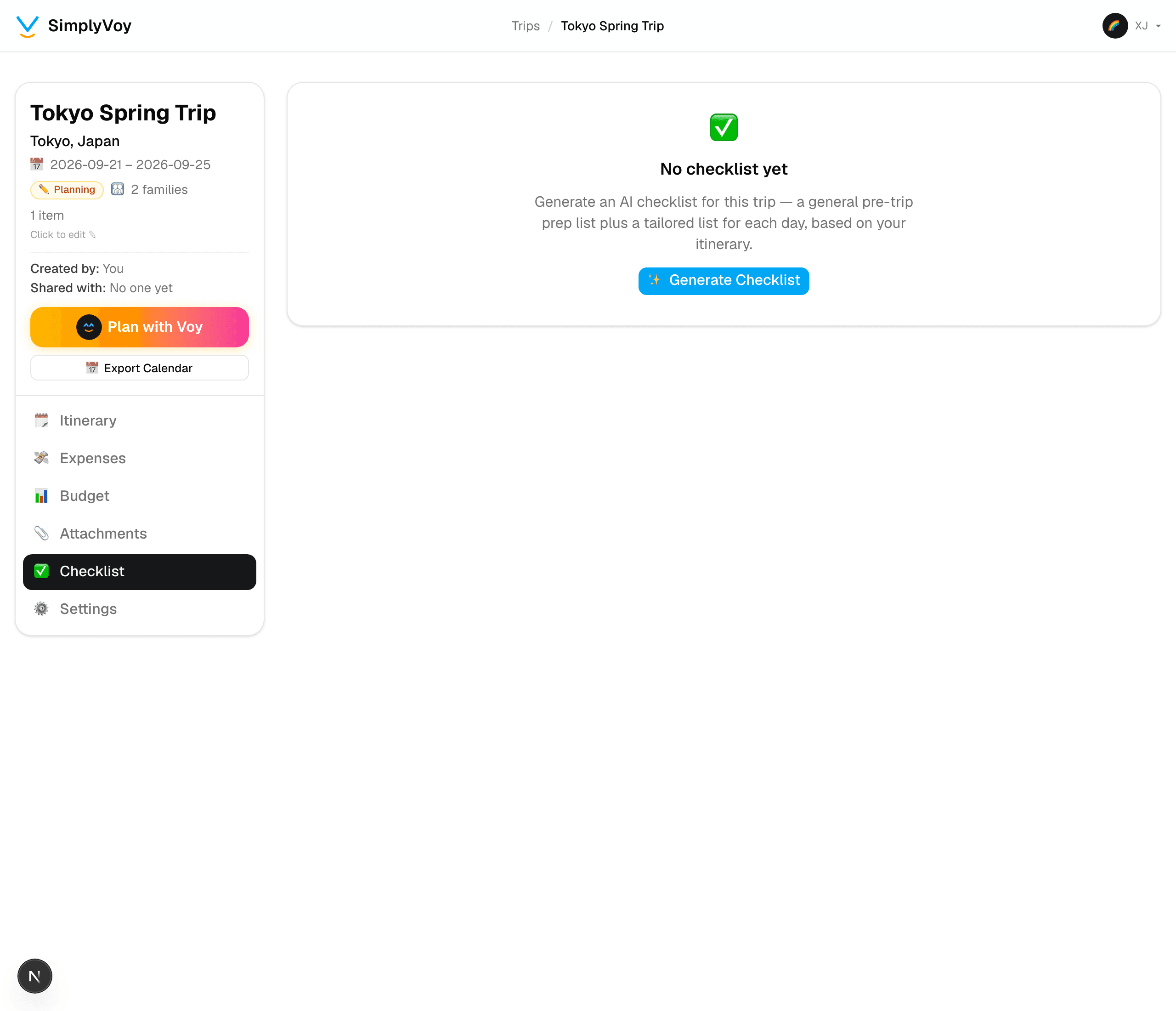
Step 1 of 3 — Open the Checklist tab and generate one.
How to Generate an AI Trip Checklist
Beyond a generic packing list, SimplyVoy builds a checklist that actually knows your trip — your destination, your dates, and everything you've already planned.
Step 1 — Open the Checklist tab
Open a trip and go to the Checklist tab.
Step 2 — Generate it
Tap ✨ Generate Checklist. SimplyVoy builds two things at once:
- An overall checklist — general prep for the trip: documents, currency, health, packing basics for your destination and season
- A checklist for each day — built from what's actually on that day's itinerary. Plan a museum visit, and the checklist reminds you to book ahead. Plan a hike, and it reminds you about footwear.
Step 3 — Check things off as you go
Tap any item to mark it done. Add your own items at the bottom of any list with Add an item.
Step 4 — Keep it personal or share it
Each item has a Share with everyone checkbox. Leave it unchecked and it's just for you — check it and every co-traveler on the trip sees it too.
Step 5 — Regenerate if your plans change
Added or changed itinerary items after generating? Tap ↻ Regenerate on the overall list or any single day to have SimplyVoy rebuild just that section, without touching the rest.
A couple of things to know
- Regenerating a section only replaces the AI-generated items for that section — anything you added yourself and any items on other days are untouched.
- Like Plan with Voy, checklist generation uses your yearly Voy credit allowance — regenerating one section at a time (instead of the whole trip) saves credits when only one day's plans changed.