
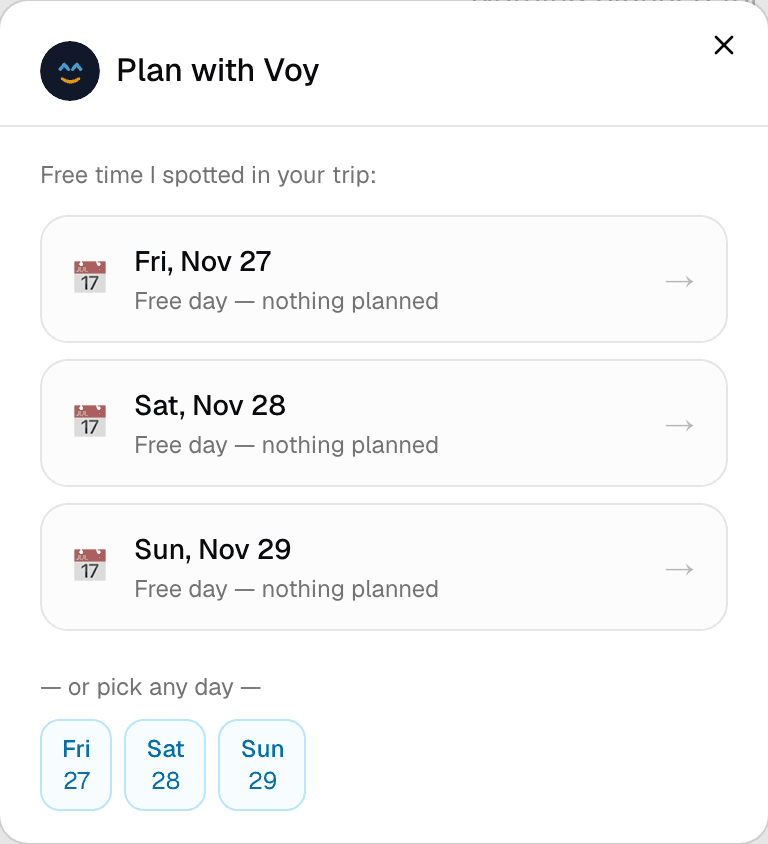
Step 1 of 3 — Voy spots the free time in your itinerary automatically.
How to Get AI Trip Suggestions with Plan with Voy
Got a free afternoon, or a whole day with nothing planned? Voy looks at your itinerary, your destination, and your Travel DNA, and suggests real things to do — not a generic top-10 list.
Step 1 — Open Plan with Voy
From any trip page, tap the Plan with Voy button.
Step 2 — Pick a moment
Voy shows the free time it spotted in your trip — a day with nothing planned, or a gap between two items. Tap one to plan it. You can also just pick any day directly if you'd rather.
Step 3 — Set the mood (optional)
If you've set up your Travel DNA (see the previous guide), Voy shows a few trait chips pulled from it — tap any that apply to this particular moment. You can also type something specific in the free-text box, like "something outdoors with a nice view" or "kid-friendly and not too far."
Step 4 — Get suggestions
Tap Find suggestions. Voy comes back with a handful of real, named ideas — each with a description, estimated duration, and a suggested time window that fits the gap.
Step 5 — Add or customize
For any suggestion you like:
- Quick Add — drops it straight onto your itinerary at the suggested time
- Customise — tweak the details (time, title, notes) before adding it
A couple of things to know
- Each trip and free/pro plan has its own yearly and per-trip limit on Voy suggestions — the remaining count is always shown right on the screen.
- Didn't love the suggestions? Tap Refresh for a new set for the same moment.
- The better your Travel DNA is filled out, the more personal these suggestions get.