
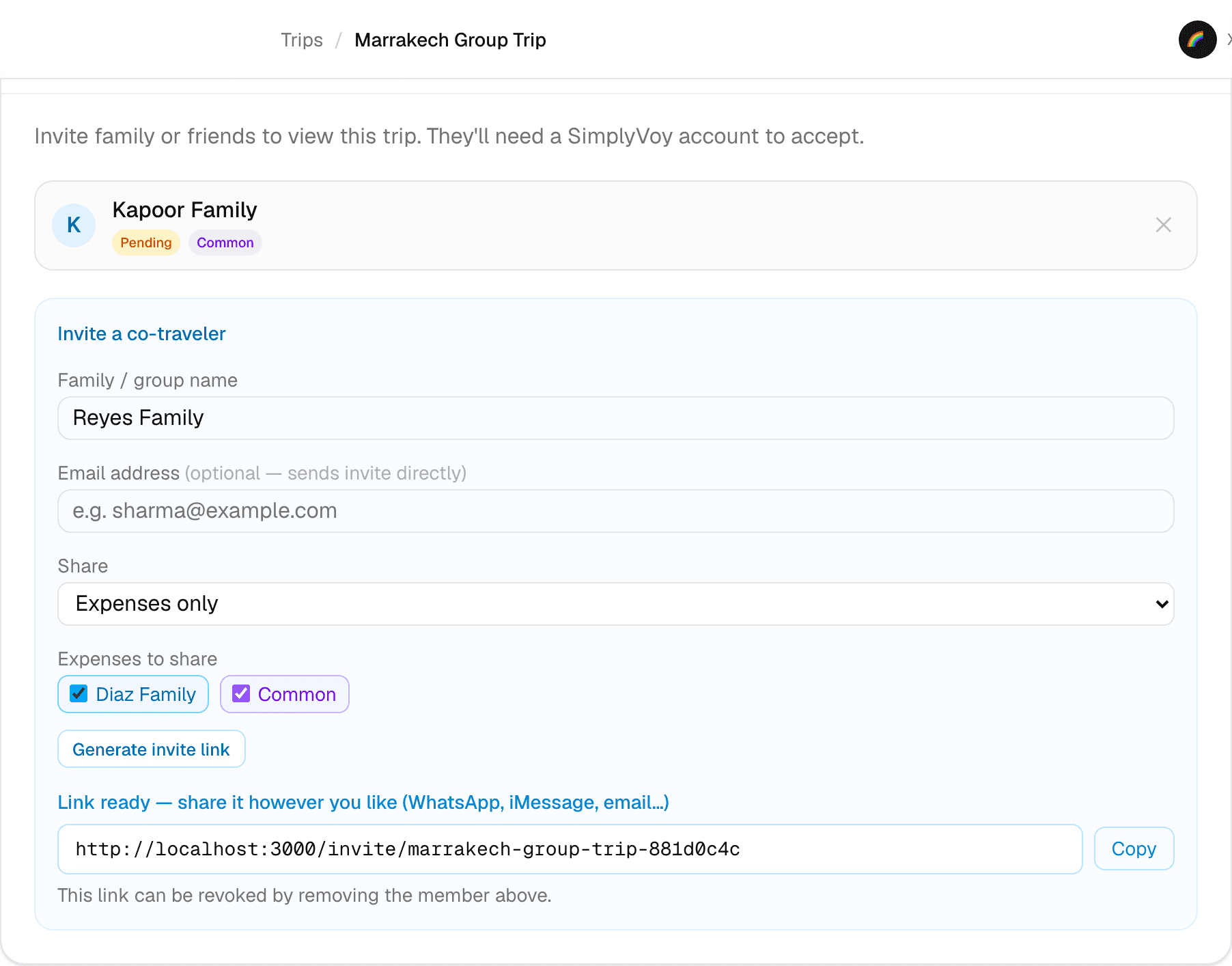
Step 1 of 2 — Restrict an invite to Expenses only, and pick exactly which expenses.
How to Control Sharing and Privacy Settings
Not every co-traveler needs to see everything. A friend joining just for the activities doesn't need to see your family's hotel budget — SimplyVoy lets you scope exactly what each person can access, set right when you invite them.
Share scope
When inviting a co-traveler (see the previous guide), the Share dropdown controls the big picture:
- Entire trip — full access to itinerary and expenses
- Itinerary only — plans, dates, locations — no expense data at all
- Expenses only — expenses and budget — no itinerary
Expense visibility
If you allow any expense access, Expenses to share lets you go one level more specific:
- Check individual families/people — they'll see that person's expenses
- Check Common — they'll see expenses split between 2 or more people (the shared costs), even if you don't check every individual name
This means you can invite someone who only sees the group's shared costs — like a communal grocery run — without seeing what any one family spent on their own.
Where it shows up
Once set, the restriction shows as a badge right on that person's entry in the Co-Travelers list — like Expenses only — so you can see each person's access at a glance without opening their settings.
A couple of things to know
- These scopes apply per co-traveler — everyone can have a different level of access on the same trip.
- Sharing settings only affect what a co-traveler can see. Whether they can edit what they see is a separate permission (view-only vs. can-edit), set after they accept.
- Nothing here is retroactive to data you haven't shared — a co-traveler scoped to "Itinerary only" simply never receives expense data, full stop.