
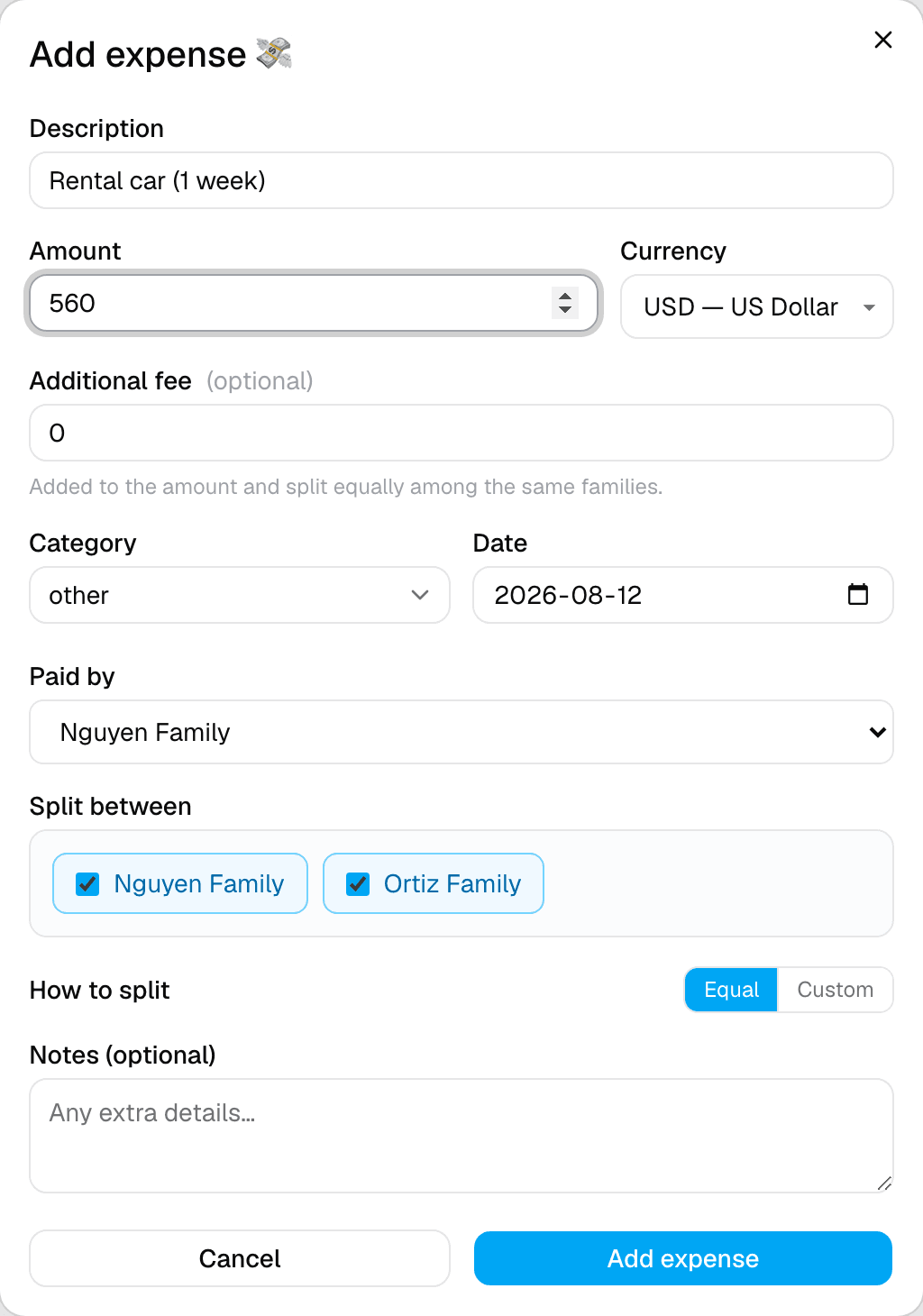
Step 1 of 2 — Say who paid, and who it's split between.
How to Split Expenses with Your Group
Group trips always come with shared costs. SimplyVoy tracks who paid, who owes what, and keeps a running tally so nobody has to do the math by hand.
Step 1 — Add family or group names
Before splitting expenses, your trip needs at least two names to split between. In the trip's Settings tab, add each family, couple, or person under Family Names, then tap Save changes.
Step 2 — Log an expense
From the Expenses tab, tap + Add expense. Fill in the description, amount, currency, and category.
Step 3 — Say who paid and who it's shared with
- Paid by — pick who covered the cost.
- Split between — tap each name that should share the cost. Everyone selected splits it equally by default.
Step 4 — Save it
Tap Add expense. It appears immediately on your Expenses list, showing who paid, who it's split between, and the amount.
How balances work
As you log more expenses, SimplyVoy keeps a running total of who's owed money and who owes it — no manual tallying. It works out the smallest number of payments needed to settle up, even across a mix of currencies.
A couple of things to know
- An Additional fee field (like a bank FX fee or booking surcharge) gets added to the total and split equally among the same people, separate from the main amount.
- Want to split something unevenly instead of equally — say, one family ordered more at dinner? See the next guide on custom expense splits.